Talking to Sony headphones from a sandboxed macOS app
RFCOMM, framing, and a two-value sequence number. Engineering notes from building a native Sony headphone controller for the Mac menu bar. Published 18 November 2026.
Join the free betaSony's WH-1000XM headphones have a lot of settings: noise cancelling levels, ambient sound, EQ, speak-to-chat, multipoint. All of them live in the Sony "Sound Connect" phone app. There's no official way to change them from a Mac. I got tired of picking up my phone to switch to ambient mode while sitting at my desk, so I wrote a small native macOS app that speaks the headphone's control protocol directly.
This post covers what that protocol looks like on the wire and how to talk to it with IOBluetooth inside the App Sandbox. Everything below comes from the code that's actually shipping. Honest caveat up front: the only hardware I own is a WH-1000XM5. One beta tester has reported a WH-CH720N working. Everything else is untested.
1. Finding the channel
The headphones expose a vendor-specific RFCOMM service next to the normal A2DP/HFP profiles. You don't need to pair anything again. The Mac is already paired for audio, so you just look up the service record by UUID on the IOBluetoothDevice:
private static let serviceUUIDs: [[UInt8]] = [
    uuidBytes("956C7B26-D49A-4BA8-B03F-B17D393CB6E2"), // newer service, preferred
    uuidBytes("96CC203E-5068-46AD-B32D-E316F5E069BA"), // older one
]

for bytes in Self.serviceUUIDs {
    var b = bytes
    let uuid = IOBluetoothSDPUUID(bytes: &b, length: 16)
    guard let record = device.getServiceRecord(for: uuid) else { continue }
    var id: BluetoothRFCOMMChannelID = 0
    if record.getRFCOMMChannelID(&id) == kIOReturnSuccess { return id }
}
If the cached SDP records don't have it (this happens after a fresh pairing), device.performSDPQuery(self) refreshes them, and then you retry once. After that it's openRFCOMMChannelAsync(&ch, withChannelID: id, delegate: self), and bytes arrive in rfcommChannelData(_:data:length:).
Sandbox note: the only entitlement this needs is com.apple.security.device.bluetooth. The app has no network entitlement at all, which makes "no telemetry" something the OS enforces, not just something I promise.
2. The frame
Every message, in both directions, looks like this:
0x3E | type | seq | length (4 bytes, big-endian) | payload | checksum | 0x3C0x3Eand0x3Care start and end markers.typeis0x01for an ACK,0x0Cfor "command 1" (most settings) and0x0Efor "command 2" (multipoint, voice guidance, paired devices).checksumis the low 8 bits of the sum of type, seq, the length bytes and the payload.
Because 0x3C/0x3D/0x3E mark frame boundaries, those bytes are escaped when they show up inside the frame: each one becomes 0x3D, byte & 0xEF. Decoding reverses it (0x3D, x gives x | 0x10).
RFCOMM is a stream, not a message transport. A single callback can deliver half a frame or three frames at once. So a small parser buffers bytes, cuts the stream at 0x3E…0x3C, unescapes, checks the length and checksum, and drops anything that doesn't verify.
3. The ACK dance (this is where I lost an evening)
The protocol is strictly stop-and-wait. You send one command and wait for an ACK. Only then do you send the next one. The sequence number only ever takes two values, 0 and 1:
case .ack:
    sequence = msg.sequence      // the device tells you the next seq to use
    awaitingAck = false
    pump()                       // send the next queued command
case .command1, .command2:
    // acknowledge everything the headphones send, immediately
    link.write(SonyFrame.encode(type: .ack, sequence: 1 &- msg.sequence, payload: []))
Two things bit me here:
- You have to ACK the headphones' notifications too. If you don't, the device keeps resending the same battery or status message and stops answering you.
- Never pipeline commands. If you fire three settings changes back to back, the device drops some of them without any error. I use a queue, and a 1.5 s timeout un-sticks it if an ACK never arrives.
4. Commands are short
Once the session is up ([0x00, 0x00] is the init request, and the reply tells you the protocol version), most payloads are just a few bytes. Some real examples from the app:
| What | Payload (command 1) |
|---|---|
| EQ preset | 58 00 <preset> 00 |
| Ask for the EQ bands | 56 00 |
| Speak-to-chat on/off (v2) | F8 0C <0/1> 01 |
| Auto power-off (v2) | E8 01 <on> |
The older models (WH-1000XM4 era) use a slightly different "v1" layout for many of these, so the code branches on the version reported during init. There's also a capability query (50 00 00 returns the EQ preset list), so the UI only shows what the connected model says it supports instead of hardcoding per model.
5. Shipping it through App Review
App Review doesn't have your headphones. To give them (and anyone curious) something to look at, there's a demo mode. It's a flag on the controller that fakes a connected WH-1000XM5. The important detail is where the guard lives:
func send(_ payload: [UInt8], type: SonyMessageType = .command1, key: String? = nil) {
    guard state == .connected, !isDemo else { return }
    ...
}
The guard is in the send path, not the views. Background timers (battery polling, the reconnect loop) also return early in demo mode. If you only hide things in the UI, the screenshots look fine while a reconnect loop keeps running underneath.
What it does today
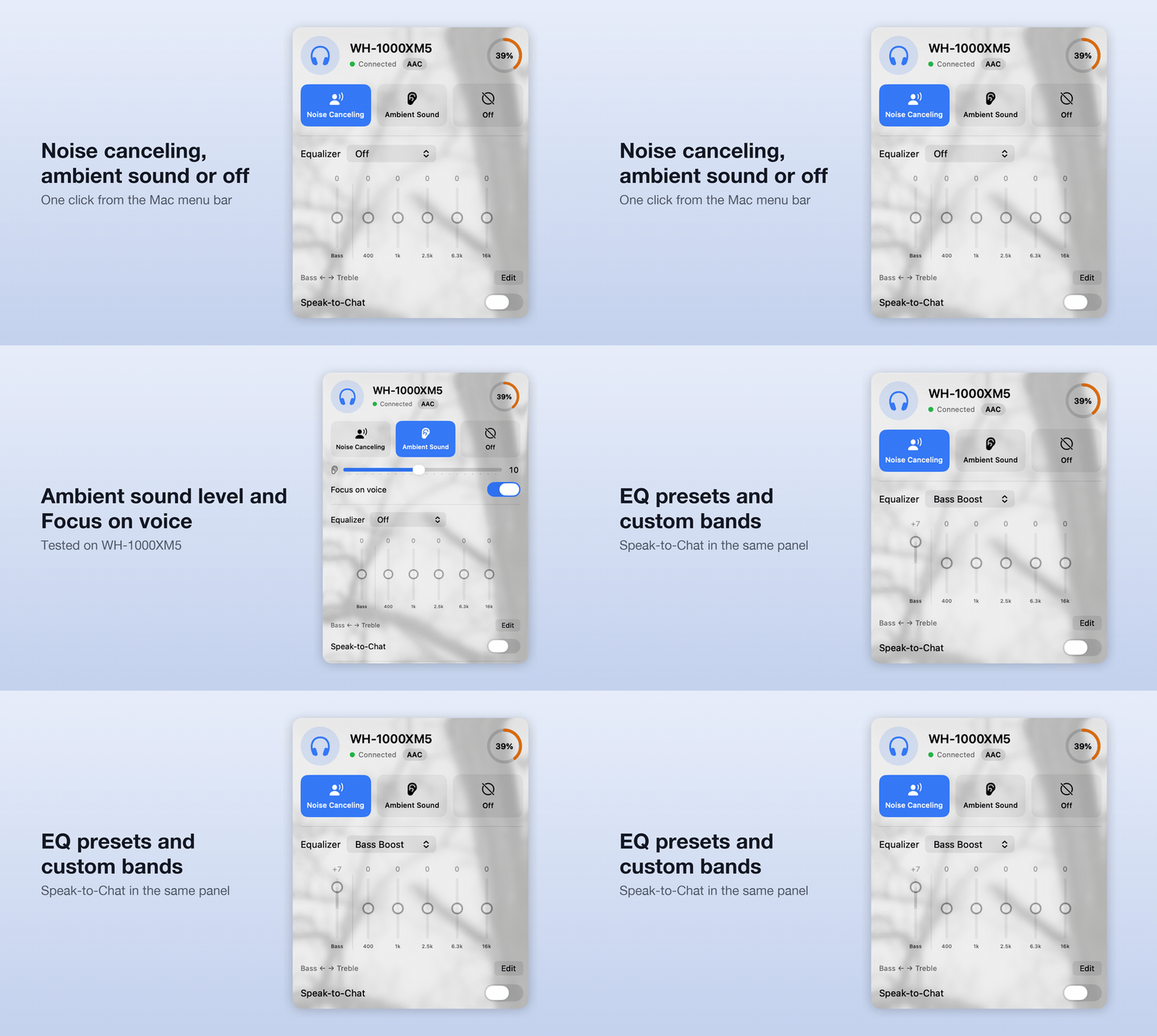
The app is native SwiftUI, sits in the menu bar, and is free. It also has an optional tip IAP. On the XM5 it handles NC / ambient (with level), EQ presets and custom bands, speak-to-chat, multipoint and source switching, and battery.
It's in public TestFlight beta right now, and the main thing I need is people with Sony models I don't own (XM4, XM6, the CH/ULT lines) to tell me what works and what doesn't:
- Beta: https://testflight.apple.com/join/e7S1TqA1
- Site: https://kulaklikkontrol.github.io
- Compatibility reports: https://github.com/kulaklikkontrol/kulaklikkontrol.github.io/discussions/2
If you've done protocol work on other headphone brands, I'd love to hear how their framing compares.